
Building Location-Aware Email Personalization with Liquid and Customer.io Collections

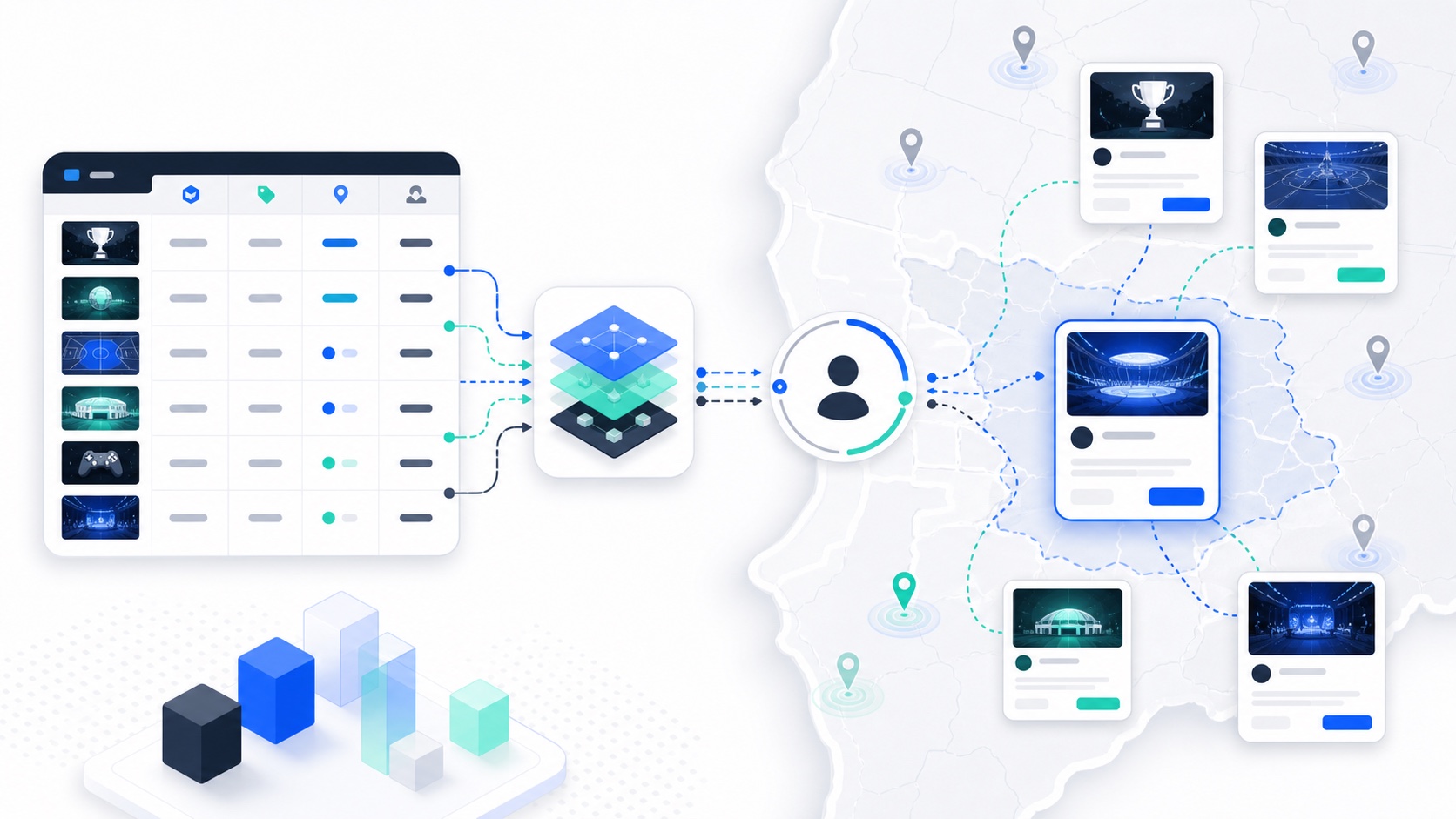
Table of contents
Introduction
Location-aware email personalization is easy to describe and surprisingly easy to overbuild. The goal sounds simple: show subscribers tournaments near them. The implementation can quickly turn into dozens of regional campaigns, brittle spreadsheet exports, and manual audience lists.
At PPA Tour, the underlying problem was structured but dynamic. Tournament information lived in a spreadsheet. Subscribers had location attributes. Customer.io needed to send emails that displayed the most relevant tournament or set of tournaments based on the subscriber’s city, state, or nearby region.
I solved this with Customer.io Collections and Liquid. The spreadsheet populated a Collection. Liquid evaluated each subscriber’s attributes at render time and selected the right tournament records inside the email.
The result was not a recommendation engine in the machine-learning sense. It was a deterministic personalization layer: simple, explainable, maintainable, and good enough for the business problem.
Business Problem
PPA Tour promoted tournaments across different cities and states. Sending every tournament to the full list would create relevance problems. A subscriber in Florida should not receive the same tournament emphasis as a subscriber in Arizona unless the event was nationally important.
The tournament data contained:
- Name
- Logo
- City
- State
- Registration link
- Event details
- Registration timing
- Optional promotional copy
Subscribers had location attributes such as city and state. The lifecycle program needed to evaluate those attributes and decide what to display.
The email needed to answer four questions:
Is there a tournament in the subscriber's city?
If not, is there a tournament in the subscriber's state?
If not, is there a tournament in a nearby state?
Should the email show one tournament or multiple tournaments?
The important constraint was operational. Tournament data changed regularly. The solution had to let non-engineers maintain tournament records without rebuilding email templates every week.
Why Native Platform Features Weren’t Enough
The obvious solution was segmentation: create a segment for each city, a segment for each state, and a campaign branch for each regional audience. That works for a small number of events. It breaks when the tournament calendar grows.
Branch-heavy architecture creates several problems:
- Every new tournament creates campaign setup work.
- Every location rule becomes a separate branch.
- QA has to cover too many regional variations.
- One typo in a segment or branch can suppress the wrong audience.
- The campaign calendar becomes harder to reason about.
Customer.io had better primitives for this use case. Collections are designed to store non-person data that can be used in automations and Liquid. Customer.io describes Collections as workspace data available for automation and message personalization in its Collections documentation.
Liquid was also the right layer because Customer.io supports Liquid personalization across message content. The official Liquid personalization documentation explains that Liquid can use audience data to personalize message content, subjects, and other message fields.
The combination mattered:
- Collections stored the tournament catalog.
- Subscriber attributes stored customer context.
- Liquid performed lightweight selection logic inside the template.
That kept the campaign architecture small.
Solution Architecture
The architecture looked like this:
Tournament Spreadsheet
  - tournament rows maintained by marketing/ops
        |
        v
Customer.io Collection
  - name
  - logo
  - city
  - state
  - registration_link
  - event_details
        |
        v
Customer.io Campaign or Broadcast
        |
        v
Liquid Template Logic
  - read subscriber city/state
  - loop tournament records
  - build city matches
  - build state matches
  - build nearby-state matches
  - render one or many cards
The key design decision was to make the tournament catalog data-driven. The email template did not hard-code individual tournaments. It hard-coded the selection rules.
That is the difference between a campaign and a system. A campaign says, “Send this event to this list.” A system says, “Given this subscriber and this event catalog, choose the relevant event block.”
The Collection made tournament data reusable. The same record could support a weekly tournament email, a last-call reminder, or a regional digest. Liquid made the email adaptive without requiring a new campaign for every location.
Technical Implementation
The Collection schema started with the fields the email needed to display and evaluate.
tournaments
-----------
id
name
logo_url
city
state
registration_url
event_details
start_date
registration_deadline
is_active
Subscriber attributes were intentionally simple:
customer.city
customer.state
customer.nearby_states
For state adjacency, I did not try to build geospatial distance inside Liquid. That would have made the template harder to reason about. Instead, nearby states could be precomputed or stored as a simple customer attribute.
The simplified Liquid pattern used capture blocks and counters rather than a complex branch map. That kept the template closer to ordinary Liquid syntax while still making the selection logic explicit.
{% assign city_count = 0 %}
{% capture city_cards %}
  {% for tournament in collections.tournaments %}
    {% if tournament.is_active == true %}
      {% if tournament.city == customer.city and tournament.state == customer.state %}
        {% assign city_count = city_count | plus: 1 %}
        {{ tournament.name }}
        {{ tournament.city }}, {{ tournament.state }}
        {{ tournament.registration_url }}
      {% endif %}
    {% endif %}
  {% endfor %}
{% endcapture %}

{% assign state_count = 0 %}
{% capture state_cards %}
  {% for tournament in collections.tournaments %}
    {% if tournament.is_active == true and tournament.state == customer.state %}
      {% assign state_count = state_count | plus: 1 %}
      {{ tournament.name }}
      {{ tournament.city }}, {{ tournament.state }}
      {{ tournament.registration_url }}
    {% endif %}
  {% endfor %}
{% endcapture %}
The render logic then chose the strongest available match type.
{% if city_count > 0 %}
  <h2>Tournaments near you</h2>
  {{ city_cards }}
{% elsif state_count > 0 %}
  <h2>Upcoming tournaments in your state</h2>
  {{ state_cards }}
{% else %}
  <h2>Featured upcoming tournaments</h2>
  {% for tournament in collections.tournaments limit: 3 %}
    {% if tournament.is_active == true %}
      {{ tournament.name }}
      {{ tournament.city }}, {{ tournament.state }}
      {{ tournament.registration_url }}
    {% endif %}
  {% endfor %}
{% endif %}
Nearby-state logic followed the same pattern. The difference was that customer.nearby_states stored normalized state codes, and the template checked whether the tournament’s state appeared in that attribute.
{% if customer.nearby_states contains tournament.state %}
  render regional tournament card
{% endif %}
In the actual email, the output was a designed module with logo, city/state, event detail, and registration CTA. The logic above is simplified to show the architecture without exposing proprietary template code.
Engineering Decisions & Tradeoffs
The most important decision was putting selection logic in Liquid instead of campaign branches. This made the email more technical, but it made campaign operations much cleaner.
Branching by region would have created a visual map of the logic, which can feel safer to marketers. The tradeoff is scale. A visual branch for every city and state is easy to break and slow to QA.
Liquid made the logic less visual but more reusable. One template could adapt to many subscribers.
Other decisions:
- Collections over hard-coded modules: tournament records changed too often to hard-code.
- Exact city match before state match: city relevance was stronger than state relevance.
- Nearby states as precomputed data: Liquid should not become a geospatial engine.
- Fallback to featured tournaments: the email should still render useful content if location data was missing.
- Limit the number of rendered events: showing every match would make the email too long and dilute the CTA.
The biggest tradeoff was debugging. Dynamic templates need preview profiles for each scenario. I used test subscribers for city match, state match, nearby-state match, and no-location fallback. Without those fixtures, a Liquid-heavy email becomes hard to trust.
Lessons Learned
The first lesson is that personalization does not need to be machine learning to be effective. Deterministic rules are often better for lifecycle marketing because they are explainable, testable, and easier for teams to maintain.
The second lesson is that non-person data needs a real home. Tournament records, product catalogs, content libraries, clinic directories, and webinar schedules should not be hard-coded into emails. They belong in a structured object, Collection, Data Extension, or content table.
The third lesson is that Liquid should do selection, not data cleanup. If city names, state abbreviations, or nearby-region mappings are inconsistent, clean them before the email renders. Template logic should not carry the burden of bad data hygiene.
The fourth lesson is that fewer campaigns can create more relevance. One well-structured dynamic template often beats dozens of manually targeted sends because the system is easier to maintain.
This is the same idea behind strong behavioral email triggers: the best lifecycle systems use customer context to choose the next relevant message.
Closing Thoughts
The PPA Tour location-aware email system worked because the architecture matched the real shape of the problem.
Tournament data was catalog data, so it lived in a Collection. Subscriber location was customer context, so it lived on the profile. The email needed to decide what to show, so Liquid handled the lightweight matching and rendering.
The result was cleaner than building dozens of campaign branches. It gave the team a reusable way to promote relevant tournaments while keeping the operational surface area small.
That is the broader lesson for lifecycle engineers: do not build a maze of campaigns when the problem is really data selection.
Get one retention idea, every other week
The Lifecycle Letter. One actionable retention idea in your inbox, no fluff, unsubscribe anytime.