
Building Custom Journey Exit Logic in Salesforce Marketing Cloud

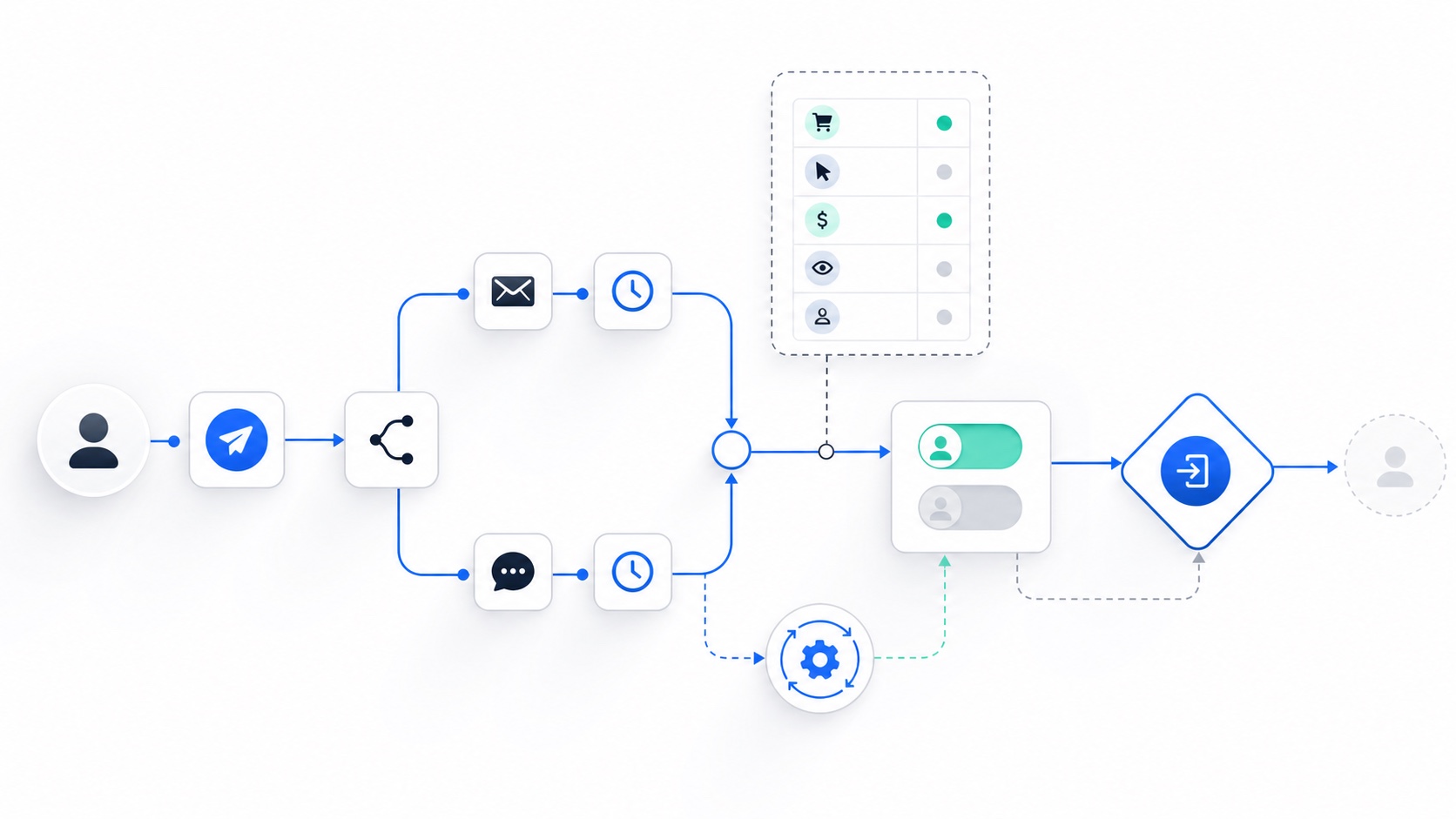
Table of contents
Introduction
Journey exit logic sounds simple until the signal you need lives outside the data model Journey Builder can evaluate. In this Salesforce Marketing Cloud case study, customers entered a loan nurture journey, but once they converted, they needed to stop receiving conversion-focused messaging.
The conversion event was real. The data existed. The problem was that it appeared in a separate Data Extension, while Journey Builder exit criteria could not directly monitor that source in the way the journey required.
The solution was to build a lightweight synchronization layer with Automation Studio SQL. Every 15 minutes, the automation checked the conversion Data Extension, matched customers with a shared unique ID, updated a contact-level attribute, and let Journey Builder exit criteria evaluate that attribute.
This is a common lifecycle engineering pattern: when the orchestration layer cannot observe the event directly, create a durable state flag that it can observe reliably.
Business Problem
The nurture journey was designed for customers who had not yet converted. Its emails explained the financing product, reduced hesitation, and pushed the customer toward the next conversion action.
Once a customer converted, that messaging became wrong. Continuing to send conversion prompts after conversion creates three problems:
- It makes the company look unaware of the customer’s actual status.
- It trains customers to ignore lifecycle messaging.
- It creates support confusion because the email asks for an action already completed.
The conversion event landed in a separate Data Extension. The loan nurture journey had its own entry source and contact data context. The two systems shared a unique customer ID, but Journey Builder did not have a native exit trigger pointed directly at the conversion table.
The business requirement became:
If a customer converts:
  detect conversion within the next polling window
  mark the customer as converted in contact data
  remove the customer from conversion-focused journey messaging
The implementation needed to be reliable enough for lifecycle messaging but simple enough to operate inside Salesforce Marketing Cloud without custom middleware.
Why Native Platform Features Weren’t Enough
Journey Builder has strong native tools for decisioning and contact movement. Salesforce documents how journey and contact data can be used in decision splits and journey logic, but the practical constraint is that the journey can only evaluate data it can access through its configured contact model and journey context. See Salesforce’s documentation on journey and contact data in Journey Builder.
In this case, the conversion signal lived in a separate Data Extension that was not directly available as an exit trigger for the journey. The data was accurate, but not exposed in the shape Journey Builder needed.
There were a few bad options:
- Let converted customers finish the journey anyway.
- Rebuild the journey around a different entry source.
- Create manual suppression exports.
- Add more decision splits and hope timing solved the issue.
None of those solved the core architectural problem. The journey needed a current, contact-level attribute that represented conversion state.
The right move was to transform event data into customer state. The conversion table answered, “Did this event happen?” The journey needed the answer to be stored as, “This customer has converted.”
Solution Architecture
The architecture used Automation Studio as a small data synchronization layer.
Conversion Data Extension
  - Customer_ID
  - Conversion_Date
  - Conversion_Type
        |
        | every 15 minutes
        v
Automation Studio SQL Query
  - find newly converted customers
  - match by shared unique ID
  - update conversion-state Data Extension
        |
        v
Contact Attribute / Journey Attribute Group
  - Customer_ID
  - Conversion_Happened = true
  - Last_Conversion_Date
        |
        v
Journey Builder Exit Criteria
  - evaluate Conversion_Happened
  - exit converted customers before next message
The journey did not directly inspect the conversion event table. Instead, it inspected a stable contact attribute that was refreshed by automation.
This distinction matters. Event tables are append-heavy and operational. Contact attributes are stateful and easy for journey logic to evaluate. The SQL job bridged the two.
Salesforce’s Automation Studio SQL Query Activity is designed to retrieve and transform data from data extensions and system data views, as described in the official SQL Query Activity documentation. That made it the right native tool for this polling pattern.
Technical Implementation
The first step was defining the shared unique ID. Email address was not reliable enough. Customers can change email addresses, share email addresses, or appear in different tables with normalization differences. The journey and the conversion table needed a stable ID, such as Customer_ID, Loan_Application_ID, or another immutable system key.
The simplified Data Extensions looked like this:
Loan_Nurture_Status
-------------------
Customer_ID
EmailAddress
Conversion_Happened
Last_Conversion_Date
Updated_At

Loan_Conversions
----------------
Customer_ID
Conversion_Date
Conversion_Type
Source_System
The SQL query ran every 15 minutes and updated the journey-visible status table.
SELECT
  s.Customer_ID,
  s.EmailAddress,
  'true' AS Conversion_Happened,
  MAX(c.Conversion_Date) AS Last_Conversion_Date,
  GETDATE() AS Updated_At
FROM Loan_Nurture_Status s
INNER JOIN Loan_Conversions c
  ON s.Customer_ID = c.Customer_ID
WHERE c.Conversion_Date >= DATEADD(day, -7, GETDATE())
GROUP BY
  s.Customer_ID,
  s.EmailAddress
In a real implementation, the query target would use an update or overwrite pattern depending on how the status table was designed. I prefer making the status table durable and idempotent: the same customer can be matched multiple times without creating duplicate state.
The journey exit criteria then looked for:
Loan_Nurture_Status.Conversion_Happened equals trueThe timing model was intentionally simple. A conversion could happen at 10:01. The automation might run at 10:15. The journey would evaluate the updated attribute before the next send step. That means the system was not instant, but it was reliable at the cadence the customer experience required.
For lifecycle programs, near-real-time is often enough. The expensive mistake is not a 15-minute delay. The expensive mistake is never exiting the converted customer at all.
Engineering Decisions & Tradeoffs
The first design decision was polling cadence. Running every 15 minutes balanced freshness with operational load. A one-minute polling cadence would have created more query runs without materially improving the customer experience. A daily cadence would have allowed too many converted customers to receive stale messaging.
The second decision was using a state flag rather than suppressing sends manually. Manual suppression is fragile because it depends on a human process. A state flag gives Journey Builder a deterministic exit condition.
The third decision was idempotency. The automation could safely reprocess the same conversion because the output represented current state, not a one-time action. This makes failure recovery easier. If one run fails, the next run can catch the same converted customer.
The fourth decision was using a shared unique ID instead of email address. Email is useful for sending. It is not always safe as the primary join key for lifecycle state. A unique application or customer ID reduces false matches and missed exits.
The tradeoffs were clear:
- Polling delay: customers may remain in the journey until the next automation run.
- Operational dependency: the exit system depends on the automation staying active.
- Data contract dependency: both Data Extensions must preserve the shared unique ID.
- Simplified journey logic: Journey Builder stays clean because conversion complexity is handled upstream.
Failure handling was mostly about visibility. The automation needed query-run monitoring, row-count checks, and a simple alert if the number of converted matches suddenly dropped to zero. A zero-row run can be valid. A string of zero-row runs during normal volume usually means a source job, field name, or import process broke.
Lessons Learned
The first lesson is that exit logic is lifecycle infrastructure, not an afterthought. A journey is only as good as its ability to stop when the customer state changes.
The second lesson is that event data and customer state are different. Events tell you what happened. State tells your lifecycle system what to do next. Journey Builder usually wants state.
The third lesson is that polling is not automatically bad architecture. If the business requirement tolerates a short delay, a scheduled SQL job can be simpler, cheaper, and easier to debug than custom middleware.
The fourth lesson is that shared IDs matter. Lifecycle systems fail when each table has its own idea of identity. A clean customer ID makes SQL, attribution, suppression, and exits easier across the whole system.
For related measurement thinking, read Lifecycle Marketing KPIs: The Only 7 Metrics That Matter. Exit criteria should ultimately protect downstream KPIs like conversion rate, retention, and customer trust.
Closing Thoughts
The solution was not complicated. That was the point.
Automation Studio checked the conversion table every 15 minutes. SQL matched converted customers by shared ID. A journey-visible attribute was updated. Journey Builder exited customers based on that attribute.
The architecture worked because it translated a hard-to-observe event into an easy-to-evaluate state flag. That is a useful pattern for any technical marketer working inside platform constraints: do not force the journey builder to understand every source table. Give it the cleanest possible version of customer state.
Get one retention idea, every other week
The Lifecycle Letter. One actionable retention idea in your inbox, no fluff, unsubscribe anytime.